Tips for Effective Scanning
The Live Scanner monitors 600+ symbols with a 2-second refresh rate, which means you’ll see dozens of ORB setups during any given trading session. Here’s how to filter the noise and focus on the setups that match your trading style.
Start with a Focused Watchlist
Don’t try to watch everything at once. Begin with a manageable group of symbols, like the DOW 30 or a custom watchlist of stocks you know well. This keeps your scanner results focused and prevents information overload during fast-moving market conditions.
Once you’re comfortable with your scanning workflow, expand your watchlist gradually. The platform supports unlimited custom watchlists, so you can create separate lists for different strategies or market conditions.
Use the Sorting and Filtering Tools
The Live Scanner table gives you several ways to organize your results:
- Open trades only: Shows active setups that haven’t hit their target or stop yet. Use this during market hours when you want to focus on current opportunities.
- Closed trades only: Displays completed setups from the session. Useful for end-of-day review and learning from the day’s price action.
- All trades: Shows both open and closed setups together for a complete view of the day’s activity.
You can also filter by timeframe (5-min, 15-min, or 30-min opening range) to match your preferred trading style. Shorter timeframes generate more signals with tighter ranges, while longer timeframes offer wider ranges and fewer, potentially higher-quality setups.
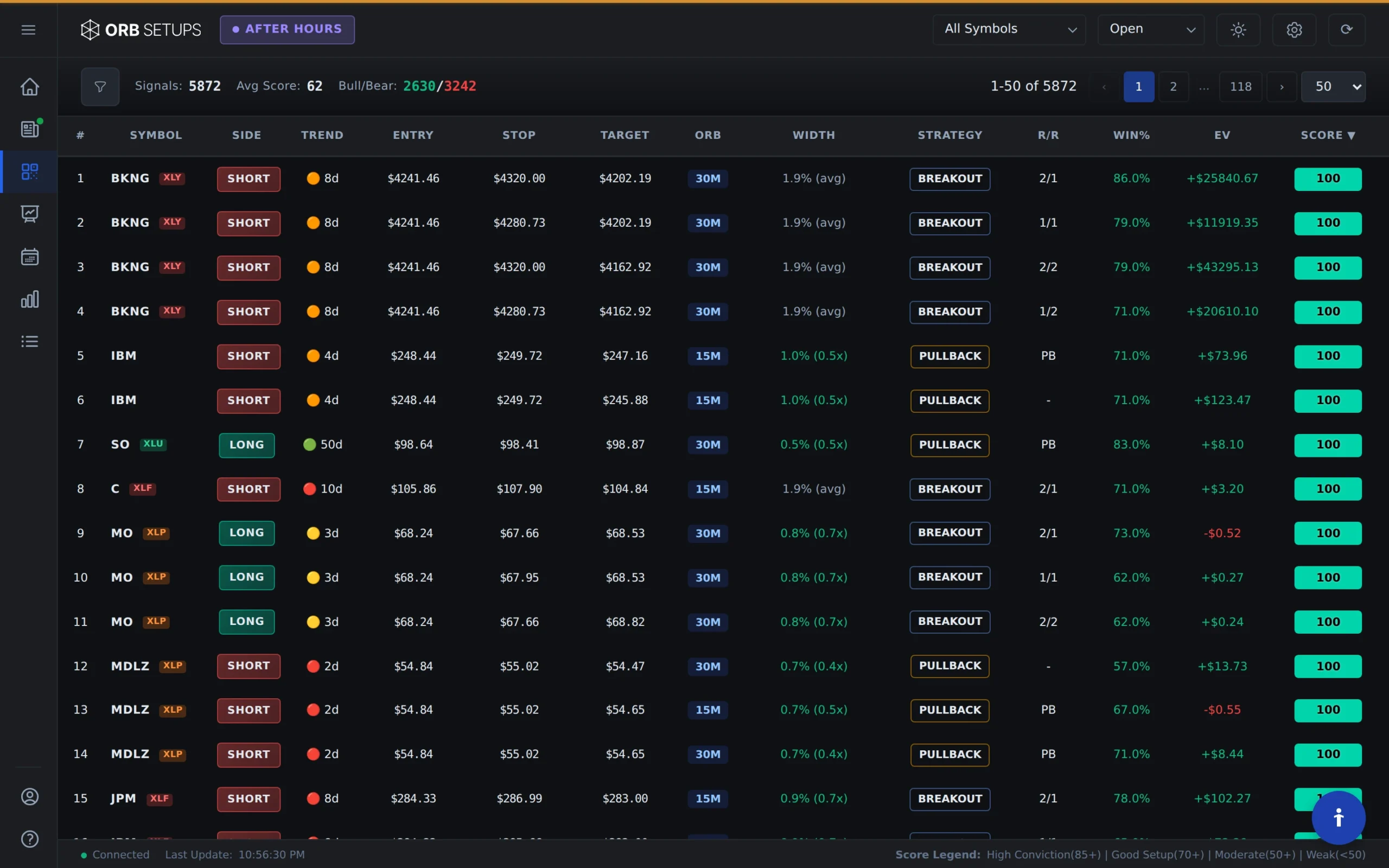
Focus on Win Rate and Expectancy
Every setup in the scanner displays backtested performance data drawn from 150,000+ historical setups and 1.6M backtested trades. Two columns deserve your attention:
- Win Rate: The percentage of historical trades that reached their target before hitting their stop. Higher win rates indicate setups that have performed consistently in the past.
- Expectancy: The average profit or loss per trade based on historical data. This accounts for both winners and losers, giving you a clearer picture of the setup’s overall edge.
Use these columns to prioritize setups with demonstrated historical performance. A setup with a 65% win rate and positive expectancy has a stronger track record than one with no historical data.
Expand Rows for Full Trade Details
Each row in the Live Scanner is expandable. Click any row to open a drawer showing the complete trade card:
- Entry price and entry time
- Target price and stop price
- Exit time (for closed trades)
- P/L result (for closed trades)
This gives you all the information you need to evaluate a setup before placing a trade. You’ll see exactly where the opening range was established, where the breakout occurred, and where the calculated target and stop levels sit.

Confirm Breakouts with Technical Analysis
The scanner identifies breakouts automatically, but confirmation improves your odds. Before entering a trade, check for:
- Volume: Strong breakouts typically show above-average volume. Low volume breakouts are more likely to reverse.
- Support and resistance: Is the breakout moving into clear space, or is there a major level just above the entry?
- Overall trend: Breakouts that align with the broader market direction tend to follow through more reliably.
The scanner does the heavy lifting of finding setups and providing historical data. Your job is to apply context and decide which setups fit your criteria.
Stay Aware of Market Events
Scheduled news and economic releases can override technical patterns. Before trading any setup, check for upcoming catalysts that might affect price action:
- Economic reports (FOMC, jobs data, CPI)
- Company earnings announcements
- Fed speeches or other market-moving events
Resources like Forex Factory and Earnings Whispers provide calendars of planned volatility events. Cross-reference your scan results with these calendars to avoid getting caught in unexpected moves.
Build a Consistent Review Process
Effective scanning isn’t just about finding trades in real-time. Set aside time each day to review closed trades from your session:
- Which setups reached their targets?
- Which setups stopped out, and why?
- Did the high win rate setups perform as expected?
This review process helps you refine your filtering criteria over time. You’ll start to recognize which types of setups work best for your trading style and which to avoid.