Built-in Watchlists
Built-in Watchlists: Start Scanning in Seconds
The ORB Setups Live Scanner includes three built-in watchlists so you can start scanning immediately. Each watchlist covers a major U.S. index and is ready to use the moment you open the platform.
To access these watchlists, click the Built-in Watchlists button on the Watchlist page. From there, you can load any watchlist directly into the Live Scanner.
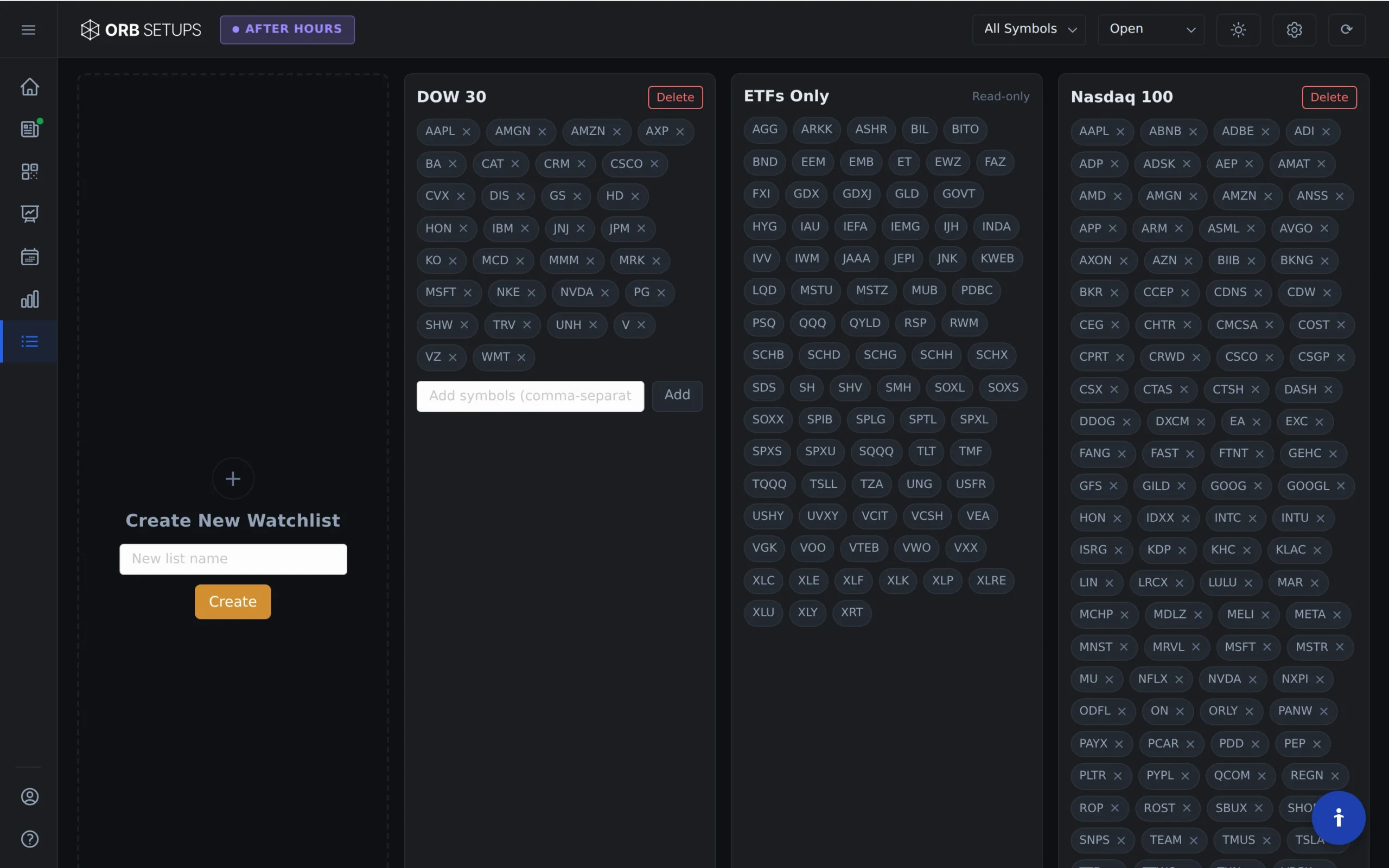
Available Built-in Watchlists
Each built-in watchlist is optimized for different trading styles and market focus:
- DOW 30 Watchlist: Contains the 30 blue-chip stocks in the Dow Jones Industrial Average. Best for traders who prefer a focused list of highly liquid, large-cap stocks.
- NASDAQ 100 Watchlist: Contains the 100 largest non-financial companies on the Nasdaq exchange. Ideal if you focus on technology and growth stocks with higher volatility.
- S&P 500 Watchlist: Contains the 500 largest companies on the NYSE and NASDAQ. Use this watchlist when you want broad market coverage across multiple sectors.
How to Use Built-in Watchlists
Follow these steps to load a built-in watchlist into your scanner:
- Open the Watchlist page from the main navigation.
- Click Built-in Watchlists to view available options.
- Select the watchlist you want to scan (DOW 30, NASDAQ 100, or S&P 500).
- The selected watchlist loads into the Live Scanner automatically.
- Choose your timeframe (5-min, 15-min, or 30-min opening range) and start scanning.
The scanner refreshes every 2 seconds, so you see ORB setups as they develop in real time across all symbols in your selected watchlist.
When to Use Each Watchlist
DOW 30: Use this watchlist when you want fewer symbols to monitor. The 30 blue-chip stocks offer consistent liquidity and tighter spreads. This list works well for traders who prefer quality over quantity.
NASDAQ 100: Use this watchlist for tech-focused trading or when you want exposure to growth stocks. These symbols often show larger intraday ranges, which can mean bigger ORB moves.
S&P 500: Use this watchlist when you want maximum coverage. Scanning 500 symbols gives you the best chance of finding multiple ORB setups each morning, especially on high-volatility days.
Combining Built-in Watchlists with Filters
Built-in watchlists work with all scanner filters. After loading a watchlist, you can apply filters to narrow your results:
- Filter by win rate to focus on setups with stronger historical performance
- Filter by ATR to find symbols with your preferred volatility level
- Filter by breakout direction (long or short) based on your bias
This combination lets you scan a broad watchlist while focusing only on setups that match your trading criteria.
Important Notes
- Built-in watchlists cannot be edited or deleted. They update automatically to reflect current index compositions.
- You can create custom watchlists if you need a different symbol set. Custom watchlists have no symbol limits.
- All built-in watchlists support 5-min, 15-min, and 30-min ORB timeframes.